Club operations

Your whole season.
One link.

Practices, tryouts, camps, clinics — every session your club runs, checked in on one permanent link your coaches keep on their home screen. Hours track themselves. Coaches get paid clean. No app store. No spreadsheets. No “did I get paid?” texts.

  • One link your coaches keep forever
  • GPS-verified hours, tracked automatically
  • Pay a whole pay period in one tap

Club Check-In is self-serve — you’re up in five minutes. One club, every kind of session — practices, tryouts, camps, clinics — all on a single link that never changes.

  • One permanent link
  • GPS-verified check-in
  • No app store, no passwords
  • Owner · Admin · Director
  • No-login pay links
  • CSV & PDF · full activity log

01Set up your calendar

Every kind of session, one place.

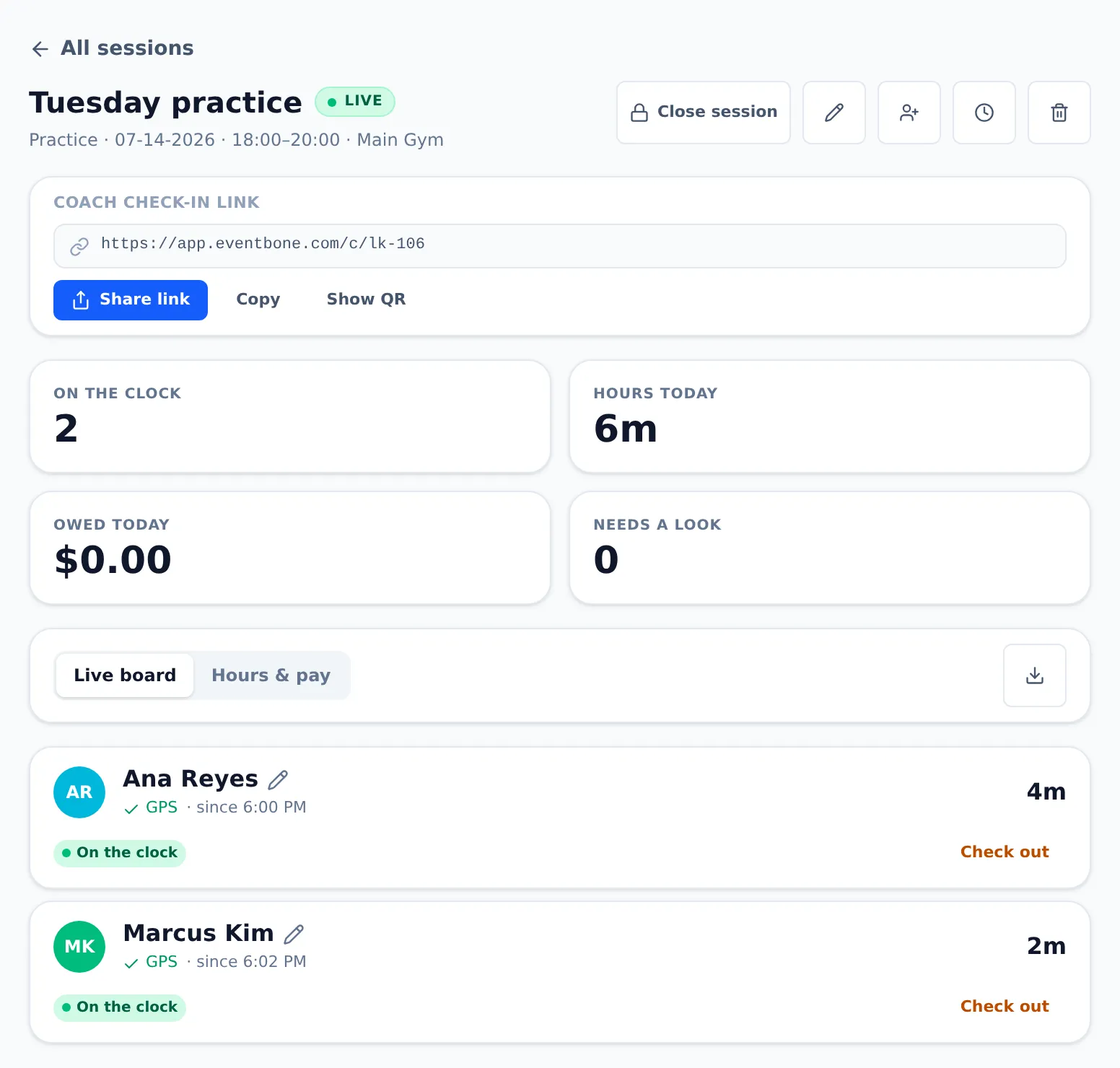
Spin up a session in seconds — practice, tryout, camp or clinic — drop its location, and it’s ready to check into. Set a rate and pay turns on; leave it blank and you just track hours. Same club, same link, whatever you’re running.

  • Four session types — practice, tryout, camp, clinic — so your calendar reads like your real week
  • Set the location and a check-in radius — tight for a single gym, wide for a big complex
  • Optional pay rate — set it and pay computes; leave it blank and you just track hours. Rates stay owner/admin-only
  • Reopen or close anytime — closing stops new check-ins but keeps every hour already logged

02Coaches check in

One link. On the home screen. Forever.

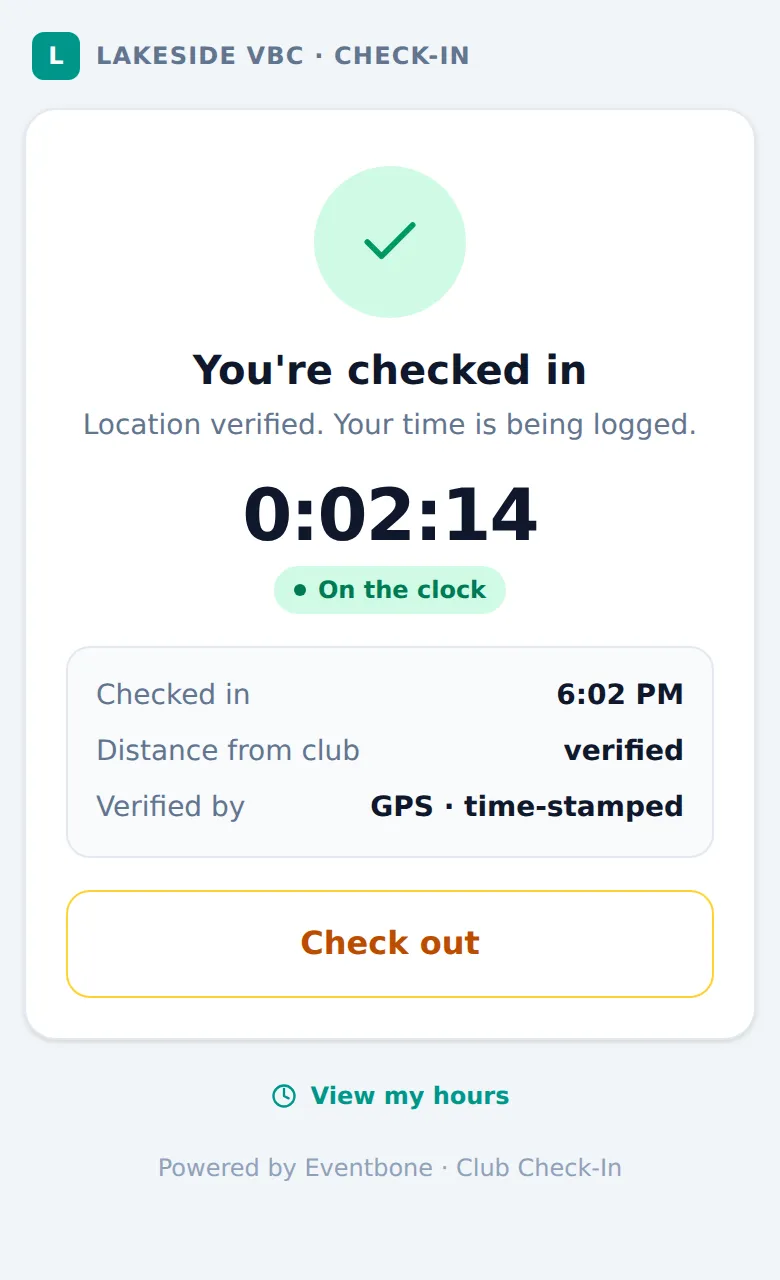
Your club has one Coach link that never changes. Post the QR at your facility, text the link once, and coaches add it to their home screen like an app. At practice they tap the icon, pick the session they’re there for, and their phone confirms they’re on site. That’s it.

  • Add to Home Screen — the link becomes a “[Your Club] Check-In” icon. No app store, no account, no password
  • Pick the right session — two things running? The coach taps the one they’re there for. One open? It goes straight in
  • GPS-verified — a green tag means they were confirmed on site; anything added by hand is marked manual
  • Set it once — same link every night. On a day with nothing scheduled, coaches just see “nothing open yet”

03Hours run themselves

The clock runs so you don’t have to.

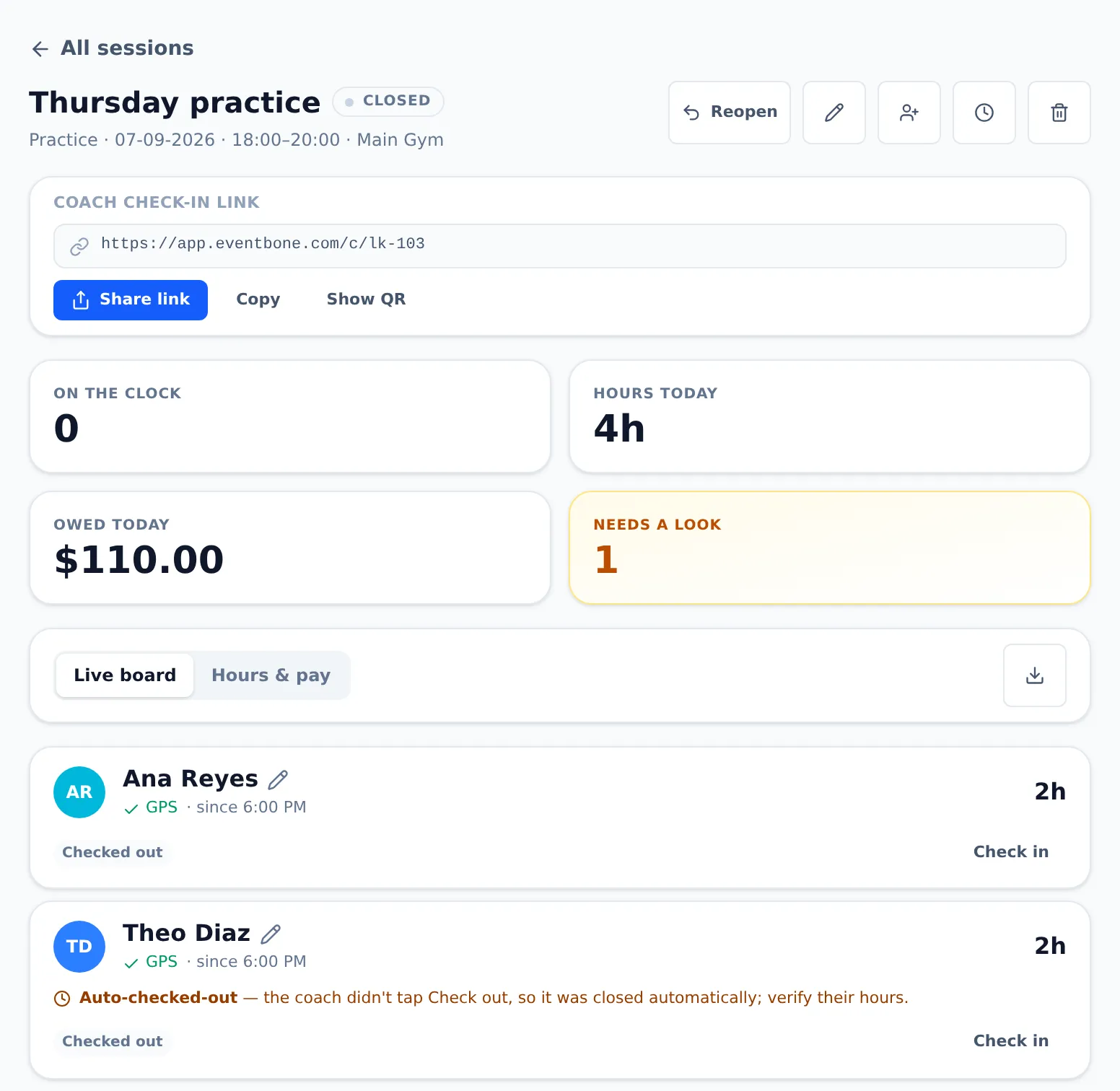
The moment a coach checks in, the clock starts; it stops when they check out. Nothing to tally, nothing to remember. And if someone forgets to check out, a safety net catches it — so you never pad an accidental 8-hour shift, and never shortchange a coach either.

  • Verified vs. manual — GPS-confirmed hours are tagged; hand-entered ones are flagged so you can eyeball them
  • Forgot-to-check-out net — a nudge after a session’s end time, then a capped auto-checkout, flagged for your review
  • Coaches see their own hours — a running total per session, tagged Pending / Approved / Paid, right on the check-in screen

04Approve & pay

Approve the hours. Pay them right.

Every coach moves Pending → Approved → Paid. Approve one, or the whole night at once. Nudge minutes if someone left early. Then mark them paid — Zelle, Venmo, check, cash — or hand a no-login pay link to whoever cuts the checks. Every payment is stamped with who, when, and how.

  • Approve all the checked-out coaches in one tap, or fix a row with a ± minute adjustment and a note
  • Mark paid your way — pick the method and an optional reference like a check number
  • Hand off a pay link — your treasurer or bookkeeper opens it on their phone, no login, and ticks each coach off as they pay

In everyone’s pocket

Runs from a phone — coach, director, treasurer.

There’s no folding table and no clipboard. Coaches check in and watch their own hours; whoever handles the money opens a link and pays people. Same club, three jobs, all from a phone.

Nobody’s chasing a spreadsheet or a group text — each person opens their own view, scoped to their role, and it’s always current.

05Reports & books

Payroll for the month, in one tap.

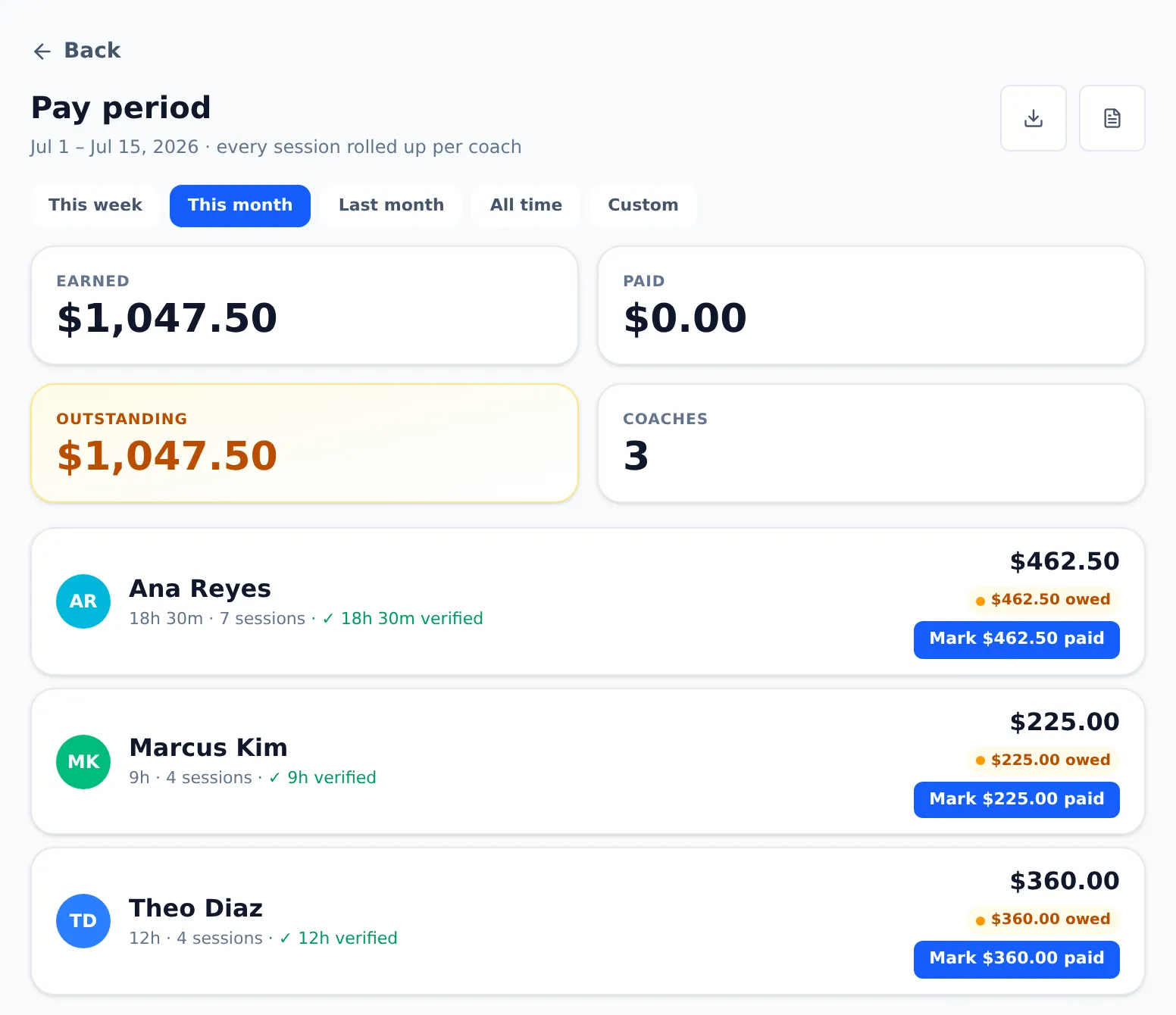
Roll every session in a date range — this week, this month, a custom window — into one line per coach: hours, earned, paid, outstanding. Pay a coach’s whole period in one tap. Then export a Payments CSV or a Print/Save PDF for your bookkeeper, backed by a permanent activity log.

  • Pay-period roll-up — biweekly payroll becomes one “Mark $X paid” per coach, across every approved session in the window
  • Export for the books — Payments CSV (method, reference, date, who paid) and a clean PDF to hand off
  • Full activity log — check-ins, edits, approvals, payments, access changes — who and when, kept permanently

·People & permissions

Everyone in their lane.

Invite people by email and pick exactly what they can do — spelled out on the screen so you never grant the wrong access. Setting pay rates always stays owner/admin-only, even for a full director.

  • Owner — full access, plus the only role that can add or remove another owner
  • Admin (exec secretary) — runs the club day to day: sessions, coaches, rates, approvals, pay, reports
  • Director — a member with only the permissions you choose, from “session lead” to “full director”

Audit-ready

Every payment is stamped with who paid, when, and how, and kept permanently — so your books are audit-ready at tax time.

Get your club organized — and your coaches paid right.

Set up your first session in minutes, share one link, and pay your coaches right — every practice, tryout, camp, and clinic. Tell us about your club and we’ll get you going.

Talk to us

or write to us at hello@eventbone.com